What Should I Set My Thermostat To in Houston?
Learn the perfect thermostat settings for Houston's climate to optimize comfort and efficiency. Expert recommendations on staying cool and saving energy.
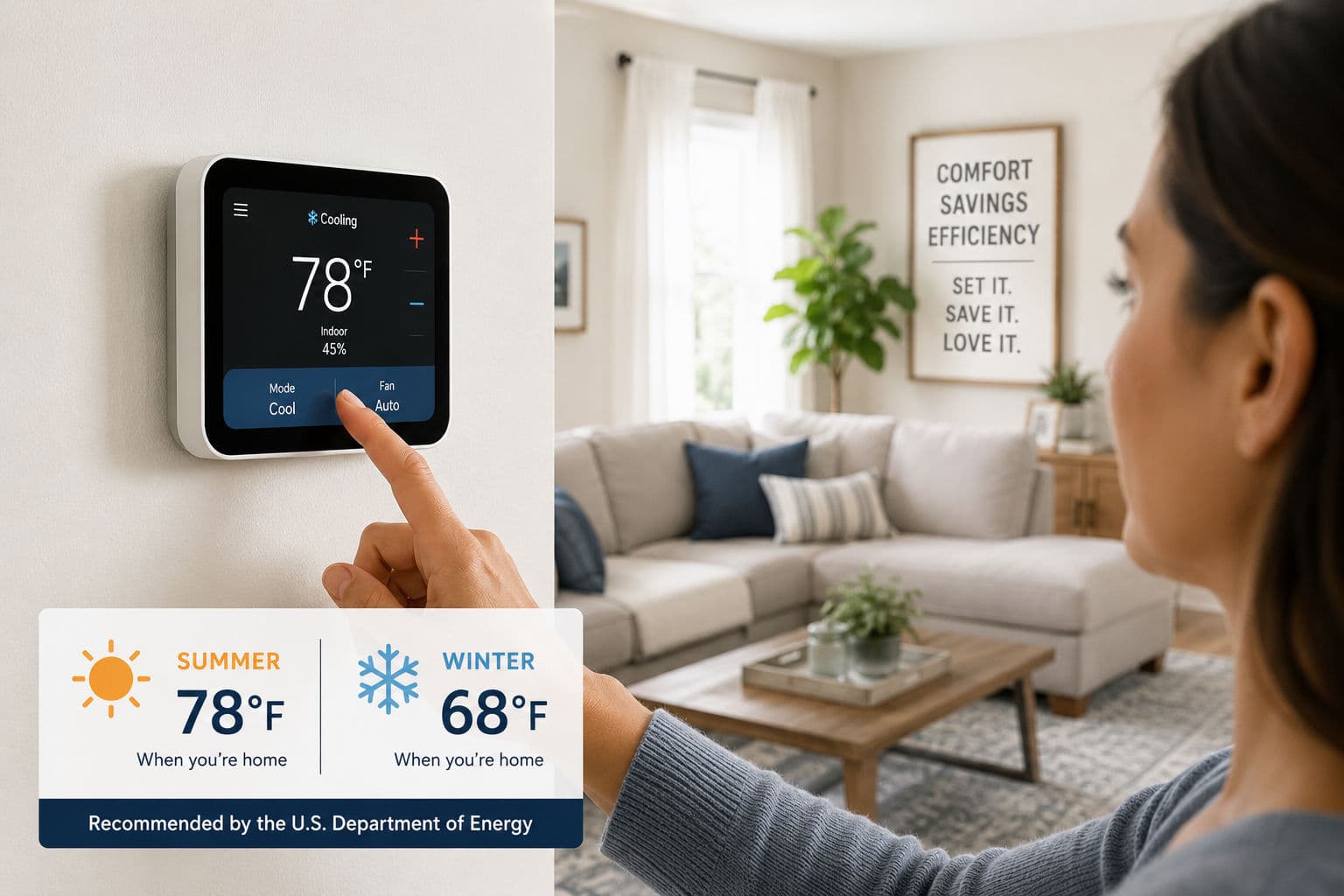
The right thermostat setting can mean the difference between a sky-high energy bill and a comfortable, efficient home. Here's what the experts recommend — and how to make it work in Houston's climate.
By Multipoint AC & Heating | Serving Greater Houston
It's a question every homeowner asks at some point: what temperature should I actually be setting my thermostat to? Too low in the summer and your energy bill skyrockets. Too high and your house feels unbearable. Finding the right balance is especially important in Houston, where your AC runs hard for the better part of the year.
Here's what the U.S. Department of Energy recommends — and how to apply it practically in a Houston home.
The Recommended Settings
The U.S. Department of Energy recommends the following thermostat settings for energy efficiency and comfort:
78°F when you are home during the summer
85°F when you are away from home during the summer
68°F when you are home during the winter
55°F when you are away or asleep during the winter
These numbers are designed to balance comfort with energy savings. Every degree you raise your thermostat in summer — or lower it in winter — can reduce your energy consumption by around 1 to 3 percent. In Houston, where summers stretch from May through October and energy bills can be punishing, those degrees add up fast.
Why 78°F Feels Different in Houston
Let's be honest — 78°F in Houston can feel warmer than 78°F in a drier climate. That's because of humidity. When indoor relative humidity is high, your body's natural cooling mechanism — sweating — becomes less effective, and the air feels warmer than the thermometer reads.
This is why humidity control is just as important as temperature control in a Houston home. If your AC is properly sized, well maintained, and removing moisture from the air effectively, 78°F will feel genuinely comfortable. If humidity is creeping above 50 to 55 percent indoors, even 74°F can feel sticky and uncomfortable.
If you find that 78°F feels too warm in your home, the first thing to check is your indoor humidity level — not just the temperature.
Summer Settings: Practical Tips for Houston Homeowners
Set it to 78°F when you're home and active. Use ceiling fans to make the space feel cooler without changing the thermostat — a ceiling fan can make a room feel up to 4°F cooler at a fraction of the cost of dropping the AC setting.
Raise it to 85°F when you're away. There's no reason to cool an empty house to 78°F. A programmable or smart thermostat can do this automatically based on your schedule.
Don't turn the AC off entirely when you leave. In Houston's heat and humidity, a completely unconditioned home can reach temperatures that damage furniture, electronics, and flooring — and it takes significantly more energy to cool it back down than to simply maintain a higher setpoint while you're out.
At night, consider dropping to 75 to 76°F. Sleep quality is strongly affected by temperature, and most people sleep better in a slightly cooler room. Blackout curtains and a ceiling fan can help you get there without overcooling the rest of the house.
Winter Settings: Less Obvious but Still Important
Houston winters are mild compared to most of the country, but cold fronts can push temperatures into the 30s and 40s overnight — and our homes aren't always built with serious insulation for cold weather. The DOE recommends 68°F when you're home and awake, and dropping to around 55°F overnight or when the house is empty.
Wear a light layer indoors rather than bumping the heat up past 68°F. Every degree above that adds noticeably to your heating costs.
Use the setback feature on your thermostat to automatically lower the temperature at bedtime and raise it before you wake up. Most people sleep more comfortably at 65 to 67°F anyway.
Don't turn the heat off completely during a cold snap. Houston pipes are not built for freezing temperatures, and an unheated home during a hard freeze is a serious risk. Keep the thermostat no lower than 55°F even when the house is empty.
The Case for a Smart or Programmable Thermostat
If you're still using a manual thermostat, you're leaving money on the table. A programmable or smart thermostat automates the setback and setforward schedules that the DOE recommends, so your home is always at the right temperature without you having to think about it.
Smart thermostats like the Nest, Ecobee, or Honeywell Home go a step further — they learn your schedule, adjust for outdoor conditions, and can be controlled remotely from your phone. Studies show that homeowners who use smart thermostats correctly save an average of 10 to 15 percent on their annual heating and cooling costs. In Houston, where energy bills run high, that's a meaningful number.
What Thermostat Settings Won't Fix
It's worth noting that no thermostat setting will compensate for an HVAC system that's undersized, poorly maintained, or working against leaky ducts and inadequate insulation. If your home struggles to reach 78°F on a hot Houston afternoon even with the AC running continuously, the problem isn't your thermostat setting — it's the system or the building envelope behind it.
Common underlying issues that prevent your home from hitting your target temperature include:
A dirty or clogged air filter restricting airflow
Low refrigerant due to a leak
Leaky or uninsulated ductwork losing conditioned air in the attic
An aging system that's lost efficiency and can no longer keep up with Houston's heat load
Insufficient attic insulation allowing heat to radiate down into your living space
If your system is running constantly but never reaching your set temperature, it's time to call a technician — not just adjust the dial.
Houston Pro Tip: Use Ceiling Fans the Right Way
Ceiling fans don't cool air — they cool people by creating a wind chill effect. That means they only help when someone is in the room. Make it a habit to turn fans off when you leave a room, and make sure they're spinning counterclockwise in the summer (which pushes air straight down) and clockwise in the winter (which circulates warm air that collects near the ceiling). This one habit can let you raise your thermostat by 4°F in summer without any reduction in comfort.
Recommended Settings at a Glance
Summer — home: 78°F Summer — away: 85°F Winter — home: 68°F Winter — away or asleep: 55°F
Need Help Getting the Most Out of Your HVAC System?
The right thermostat setting is just one piece of the puzzle. At Multipoint AC & Heating, we help homeowners across Houston, Katy, Sugar Land, The Woodlands, Pearland, Friendswood, Missouri City, Cypress, Humble, Pasadena, and the entire Greater Houston metro area get the most comfort and efficiency out of their heating and cooling systems — from smart thermostat installation to full system tune-ups and replacements.
Give us a call and let's make sure your home is set up to stay comfortable all year long.